1、解压缩
2、复制Update文件夹下的升级补丁到游戏目录覆盖
3、复制Crack文件夹下的未加密补丁到游戏目录覆盖
4、运行游戏
已集成游戏发售至今全部升级档
更新说明:
PATCH RELEASE – PLEASE POST AFTER-PATCH ISSUES HERE
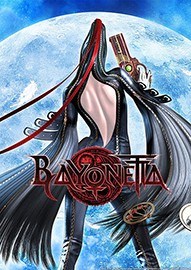
Hi Bayo fans,
The patch is here! Hurrah! Thank you for your patience while we worked with PlatinumGames to make this patch as comprehensive as possible. This patch addresses the following issues:
• Fixed an issue with excessive Steam client CPU usage
• Fixed the MSAA option
• Fixed the “picture-in-picture” graphical issue in the ‘film strip’ cutscenes at certain resolutions
• Adjusted Steam Cloud implementation
• Fixed an issue with the jump control in some situations when using keyboard and mouse
• Added the ability to disable black borders in aspect ratios other than 16:9
Please note that this last feature is unsupported.
Bayonetta was originally designed to a 16:9 aspect ratio only, and as such, certain UI elements will be distorted with this lock disabled; for example, the book that appears before boss fights may appear off-centre, etc.
To enable or disable this feature, quit Bayonetta, right click on Bayonetta in your games library in Steam, go to “Properties” then choose the "Local Files" tab and click on “Browse Local Files”. This will open up an explorer window, and inside the subfolder "Apsect Unlock" are 2 registry files:
Double click on DisableAspectLock.reg to remove the black bar
Double click on EnableAspectLock.reg to re-enable the 16:9 lock
Should you experience any issues post-patch, please post them IN THIS THREAD so we can keep them separate and in one place.
Thank you, and enjoy Bayonetta!
By 3DM
PC游戏运行指南、常见问题百科 | 缺少dll文件/配置不正确等错误解决方法









 猎天使魔女3
 猎天使魔女2

- 《空之轨迹2nd》官方中文版下载
- 《鬼武者:剑之道》官方中文版下载
- 《黎明行者之血》官方中文版下载
- 《共鸣:瘟疫传说传承》官方中文版下载
- 《沉没之城2》官方中文版下载
- 《致命躯壳2》官方中文版下载
- 《龙之剑:觉醒》官方中文版下载
- 《轮回之兽》官方中文版下载
-
 姿态直播意外露出银行卡余额:千万现金流 真京城贵妇
 儿子想买游戏机 爸爸给他"办贷款" 还完才买得起游戏
-
 国产大尺度游戏关闭下载入口!此前曾和谐角色立绘
 《巫师3 重制版》NS2预载开启!占用42.3GB
-
 《时之笛re》实体版售罄!零售放话:愿放弃GTA6多进点
 《剑星》总监秒答:伊芙身材勒痕晃动都要真实!