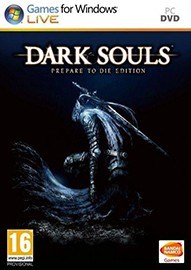
《黑暗之魂》内置分辨率修正补丁v0.5[Durante]
使用说明:
1、解压缩
2、复制所有文件到游戏目录覆盖
3、修改DSfix.ini来设置分辨率
4、运行游戏
PS: 使用时请在游戏设置中关闭AA(抗锯齿)
26-08-2012 -- version 0.5 alpha
===============================
- fixed cursor toggling (F9), added cursor capturing (F10)
- also added .ini settings for both of those
- improved the fix introduced in 0.2 for cut-off text/buttons
no longer nearly as invasive
25-08-2012 -- version 0.4 alpha
===============================
- .ini setting for overriding DoF rendering resolution
- also added an option to disable DoF scaling
- better documentation of the options in the .ini
24-08-2012 -- version 0.3 alpha
===============================
- .ini setting for texture filtering override level (from 0 to 2)
- press F9 to toggle mouse cursor on/off
24-08-2012 -- version 0.2 alpha
===============================
- Fixed text/button prompt cutoff
- Force all sampler to 16x anisotropic. This should fix downsampling for everyone
(If it causes any problems I'll make it optional, but I didn't see any so far)
23-08-2012 -- version 0.1 alpha
===============================
- Initial release
- This will probably break everything horribly
By Durante
相关内容请访问:黑暗之魂专区
PC游戏运行指南、常见问题百科 | 缺少dll文件/配置不正确等错误解决方法












 黑暗之魂4
黑暗之魂4 黑暗之魂三部曲合集
 黑暗之魂:重制版
 黑暗之魂3
黑暗之魂3 黑魂2:原罪学者
 黑暗之魂2
黑暗之魂2 恶魔之魂
恶魔之魂

- 《007初露锋芒》官方正版下载
- 《极限竞速:地平线6》官方中文版下载
- 《深海迷航2》官方抢先体验版下载
- 《魔法门:上古纪元》官方抢先体验版下载
- 《哥布林维克:窃贼大亨》官方正版下载
- 《Team Principal: A Racing Manager》官方正版下载
- 《BAZOOKA: Rhythm Game》官方正版下载
- 《八号窗口:千禧年》官方中文版下载
-
 你卖原味是哪部位的原味?前凸后翘且中空的囧图
 《巫师3》新DLC时长25-40小时 解释4代为何换主角
-
 PS新串流掌机突曝光!升级OLED 120Hz或亮相发布会
 D加密再失手!《007》新作首日补丁被光速破解
-
 突发!Xbox官宣《神鬼寓言》跳票!2027年2月发售
 《赛博朋克》重磅联动官宣!露西都变得更性感了


